We remain fully operational. Our teams are working around the clock to ensure your deliveries continue safely.

DOWNLOAD THE APP


Customer Services
Copyright © 2025 Desertcart Holdings Limited
DOWNLOAD THE APP
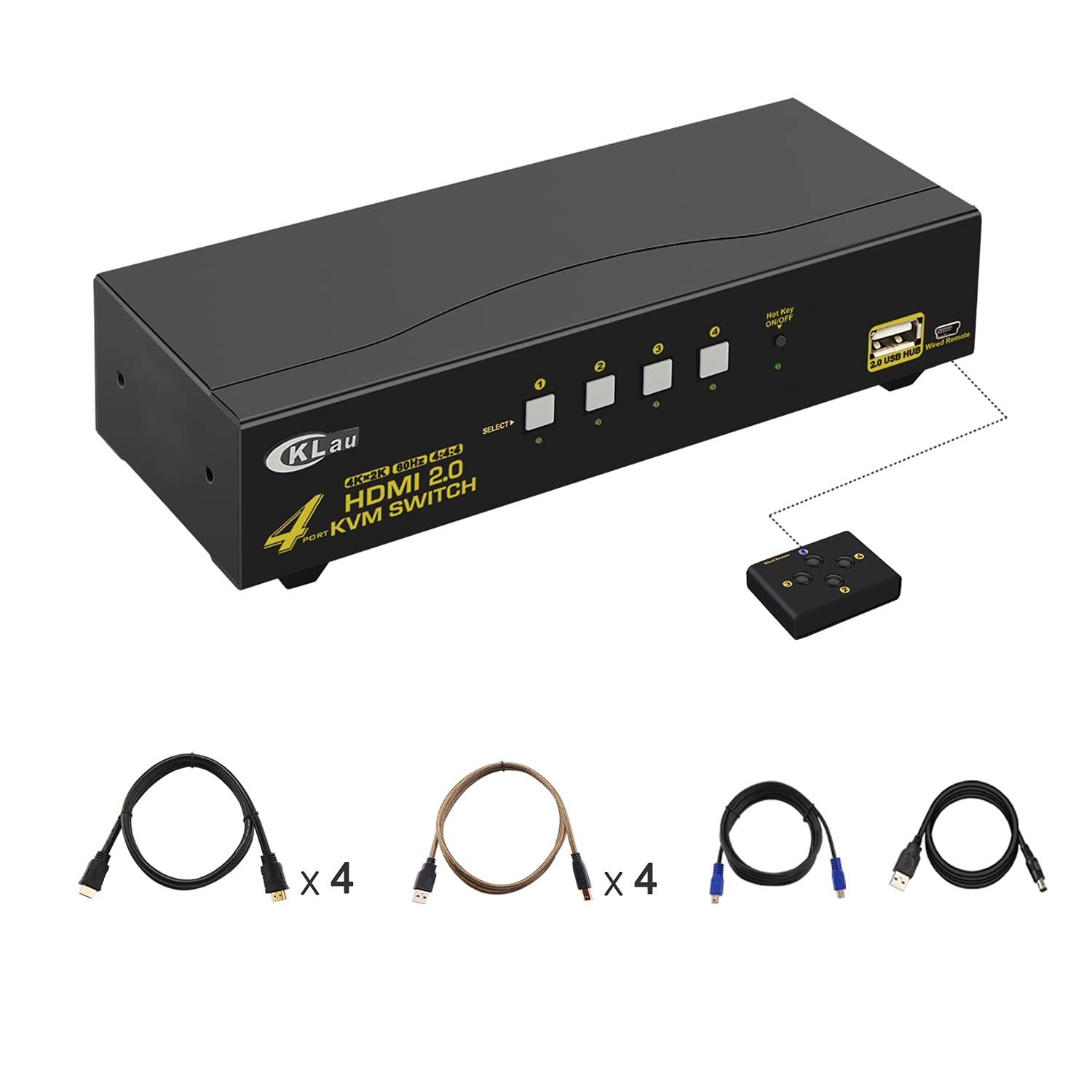
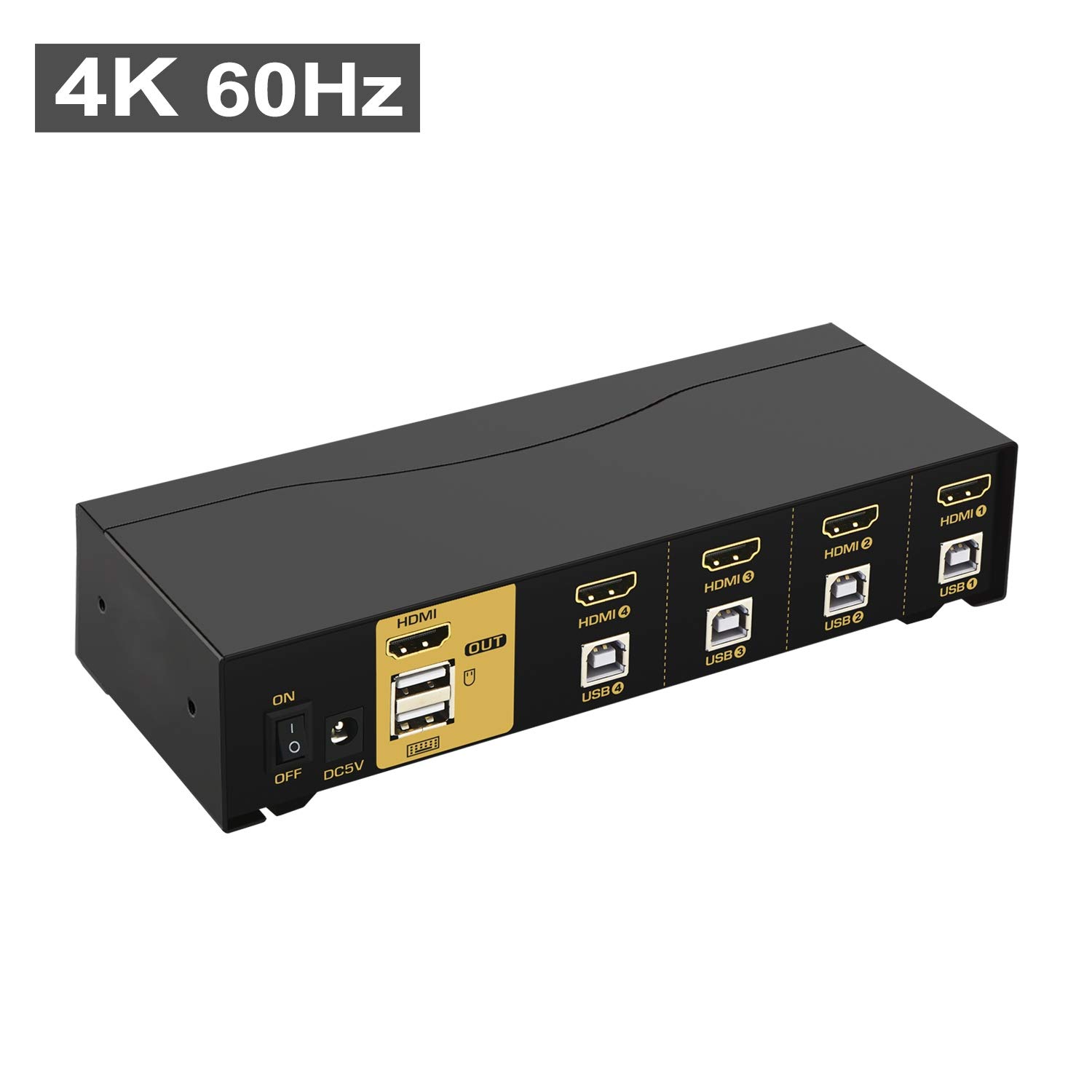
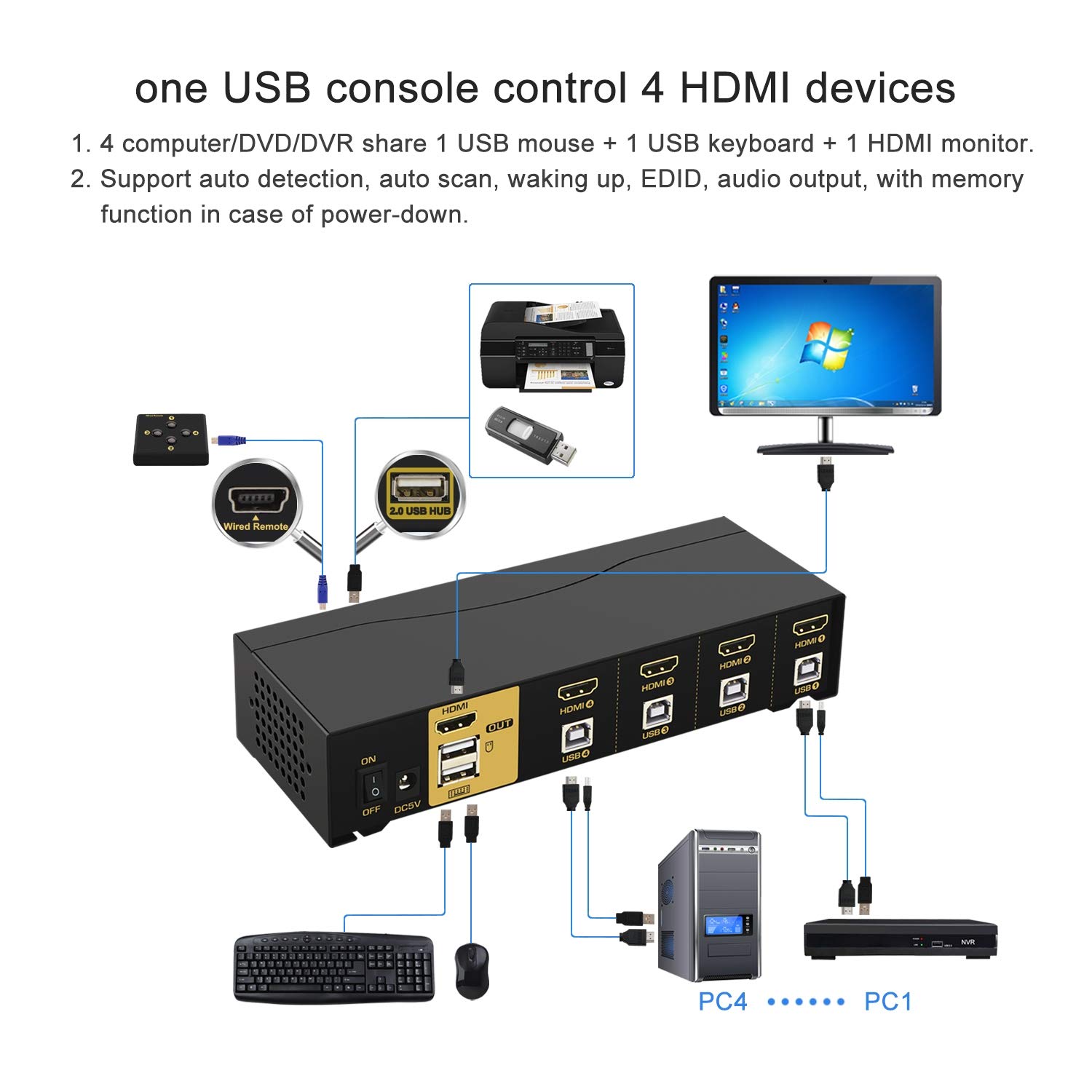
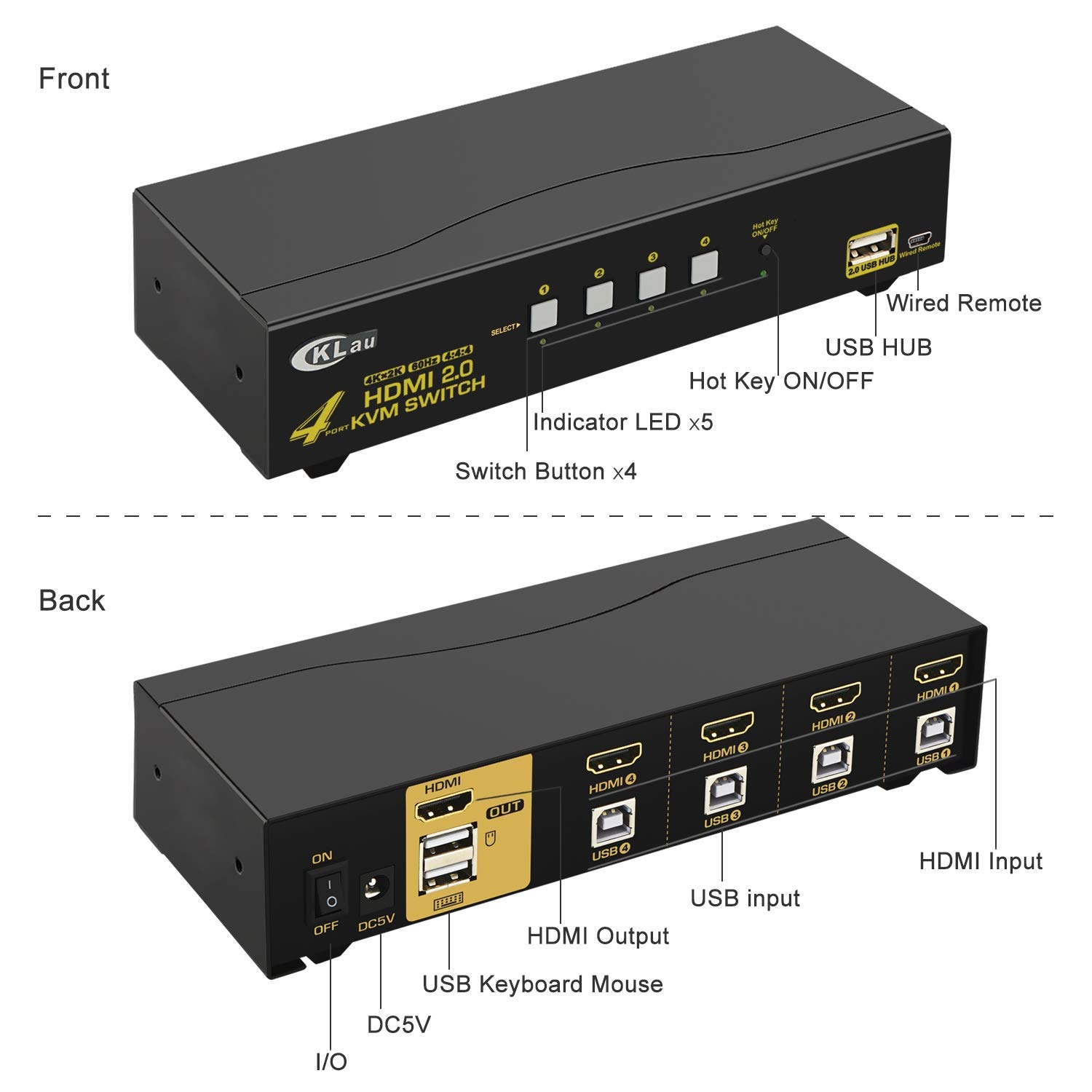
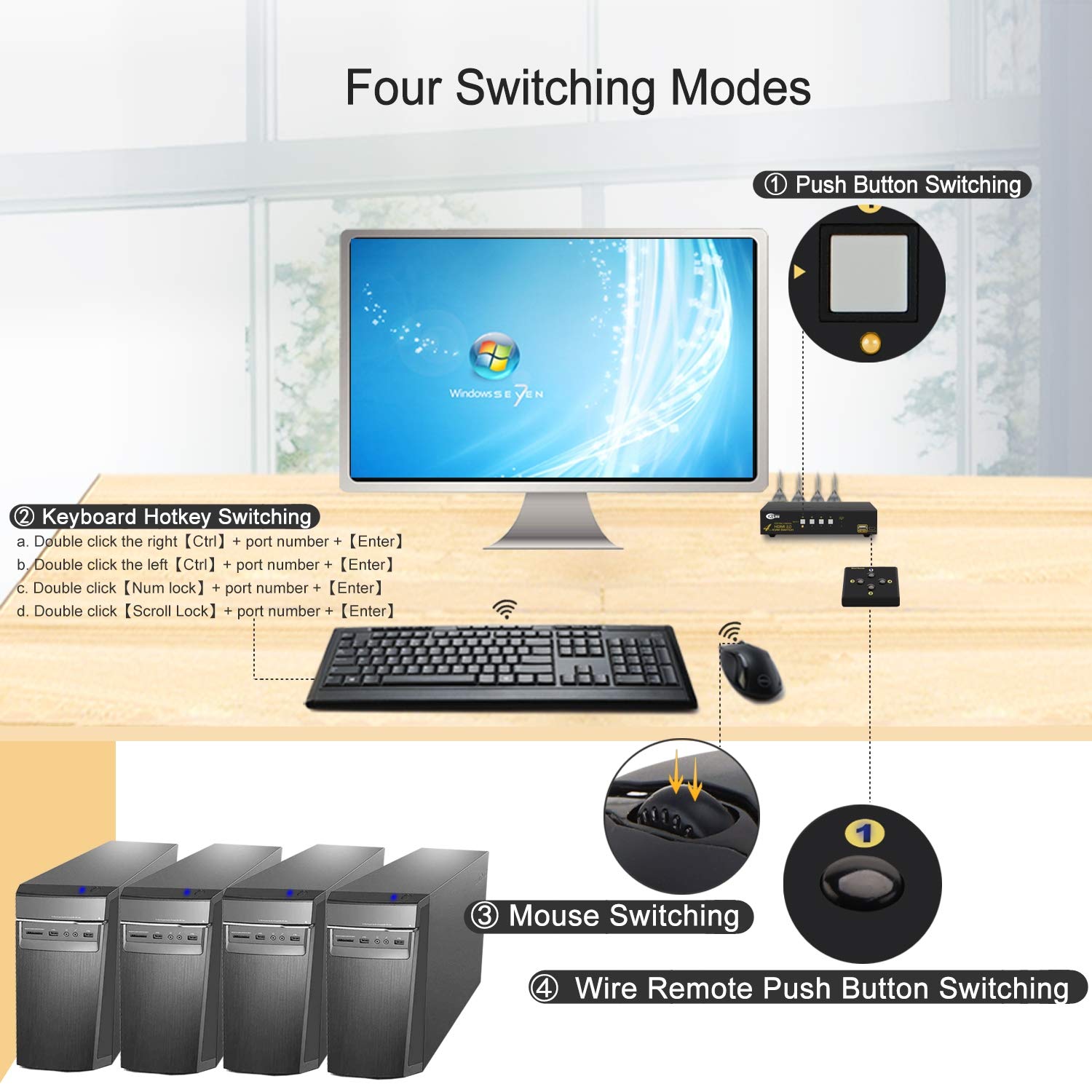
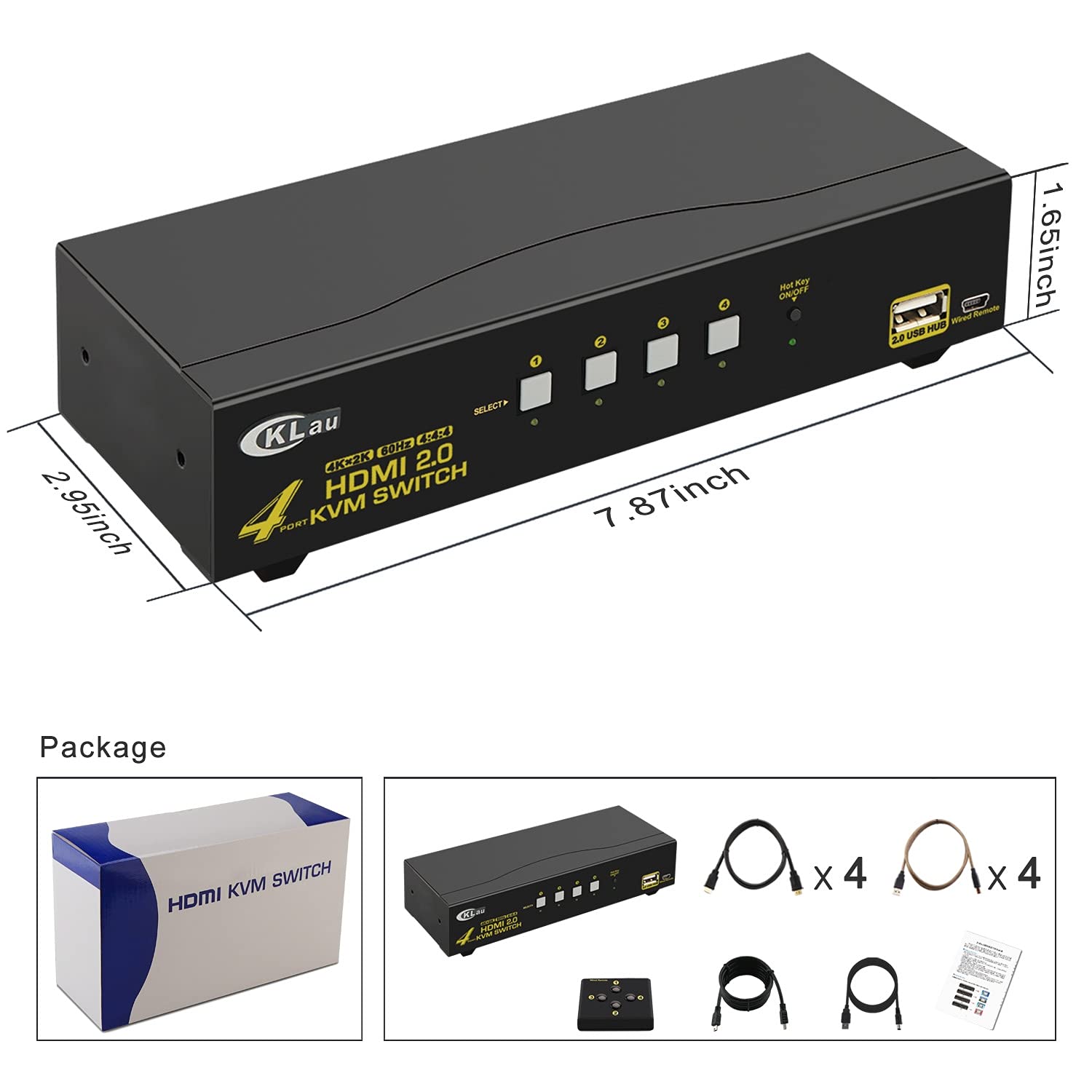
🔗 Connect. Control. Conquer your 4K workspace effortlessly.
The CKLau 4-Port HDMI KVM Switch delivers ultra-high-definition 4K@60Hz 4:4:4 video with full HDR10 and HDCP 2.2 support, enabling seamless control of up to four HDMI devices via a single keyboard, mouse, and monitor setup. Featuring plug-and-play USB 2.0 hub integration, broad OS compatibility, and a sturdy metal design, it’s engineered for professionals demanding efficient multi-device management and stunning visual fidelity.


| ASIN | B07JMT5JLV |
| Brand | CKLau |
| Brand Name | CKLau |
| Circuit Type | 4-way |
| Color | 4 Port HDMI2.0 KVM |
| Connectivity Protocol | Hdmi |
| Connector Type | Usb + Hdmi |
| Controller Type | Android |
| Customer Reviews | 3.7 out of 5 stars 27 Reviews |
| International Protection Rating | IP54 |
| Item Dimensions | 7.87 x 2.95 x 1.65 inches |
| Manufacturer | CKLAU TECHNOLOGIES INC. |
| Material | Metal |
| Material Type | Metal |
| Model | CKLau-94H2 |
| Mounting Type | Surface Mount, wall mount |
| Operation Mode | ON-OFF-ON |
| Switch Type | Kvm Switch |
| Terminal | Hdmi + Usb |
| Unit Count | 1.0 Count |
A**R
Amazing!
This thing works perfect, at least for my use, and also for an affordable price. Before that I used for years a KVM DVI switch from the manufacturer Athen (which build looks very similar), and I paid more than twice for it back then, and they are still way more expensive. The one from Athen was not able to recognize my mechanical gaming keyboard, so I could not switch via hot keys, so I had to get a cheap keyboard, to make this work "remotely". So now with that HDMI KVM switch from CKLau, I'm 100% happy. I pulled out again my old expensive mechanical gaming keyboard, and at first, it didn't get recognized either, but after contacting the amazing customer service, there was an easy fix. Instead of connecting that mechanical keyboard to the assigned USB input, I plugged it in the extra USB2.0 port at the front, and now it is working! Even the "windows" key is functioning properly in Windows now, just beautiful. Ok, the hotkeys still don't work, but who cares, I don't, now I can just switch computers by easily double clicking the scroll wheel on my mouse, then once the right or left mouse button, and there it goes (this function is new, and was not offered by Athen back then). Couldn't be happier, affordable solution to switch all my 4 new computers on a 4k screen. Also that device feels sturdy and quality, no cheap plastic or something. Thank you!
M**.
Does it's job....mostly
My big problem is that the keyboard port on the back has never worked....ever. When plugging ANY keyboard into the keyboard port on the rear, it either beeps incessantly or it will reboot or lock up entirely. I made sure I used a key board that did not have any media or special keys at all on it. It was your basic keyboard. I would dearly love to be able to use the keyboard based switching to change between computers, but can't to due to the previously described problem. As a work around I have the unit placed close withing hand's reach. I will have to find a different switcher if the manufacturer/seller doesn't contact me. Update: The 2nd led display has quit as of today. I've reset it, cycled the power and reseated the cables. Will have to replace. This unit isn't even 2 years old yet. Even though plugging a keyboard into the keyboard port never worked to begin with (I was willing to live with that because I could use the front usb-hub port). This is a poor product. My opinion is formed from having this over a year and not abusing it in any way.
G**D
Solid 4 Port HDMI KVM
I previously used the 2 port version of https://www.amazon.com/gp/product/B07HR9DQGM/ref=ppx_yo_dt_b_search_asin_title?ie=UTF8&th=1, and liked it enough that I wanted to get their 4 port version when I needed one. Like the 2 port version it's not without its quirks. The mouse and keyboard ports at the back are for wired devices only, the receivers for wireless ones are either not recognized or just don't work as you'd like. But. the usb port on the front works as you might like, I plugged my hub into that port and mouse, keyboard, headphones, all of my usb peripherals, all worked correctly. You can really only configure the device with a wired usb keyboard, none of the runtime configuration or control options work with a wireless keyboard. Luckily, all I wanted to do was switch off the beep, and then use the buttons on the front of the device, but I can see that this would be quite inconvenient if your setup or hardware didn't suit this configuration. So far so good. I've got a MacBook Pro, PC and a PS4 all hooked up with this, and they are all working nicely. The only unexpected niggle with this version is that the display settings for the Macbook reset every time I switch devices. I switch, and I see all of the windows from my monitor jump over to the laptop display, and then jump back to the now-hidden main display. When I switch back, they do the same again. This generally works, but it's far slower than the behavior of the 2 port version, it does work, but it's a disappointing change. I'd really like it if they added a standard usb port on the back of the box - it's messy having that one cable hanging out from the front, and the existing ports on the back are simply not generic.
R**N
It worked until it stopped.
I had high hopes for this switch but one of the USB ports failed in less than six months.
D**N
Dumb switch, not a smart one.
This turns out to be a dumb switch, which means that it's doing the equivalent of plugging and unplugging the cables and letting the attached computers and monitors figure out the appearing and disappearing devices. A smart switch, by contrast, makes the computer think it's still connected to the same monitor and USB keyboard and mouse, even though the monitor is pointing at another machine. The computer never sees an unplug event while switching the kvm to another machine. The result of dumb switching, for those of us who have an open laptop hooked to one of the kvm HDMI ports, is that upon switching away, the laptop sees the kvm monitor go away, and piles all the windows and icons, control panels, etc., back onto the single laptop screen. You _might_ get some of the organization back when you switch back to the kvm monitor, depending on the OS and which way the wind is currently blowing. There is apparently emulation for the kvm USB keyboard port, and probably for the kvm mouse port (which I can't check because this kvm interferes with the mouse if connected to the kvm mouse port, and won't pass clicks on to the computer.) I plug the mouse into the switched hub port, and it appears and disappears as the hub is switched among computers.
R**E
Works well for switchng between computers for office work.
This unit works pretty well. I was expecting trouble since none of these $100 units is the same performance as a professional switch. There is a lot that can go wrong on this type of KVM. But mine works and the switching time is only about 1/2 second usually. Using to switch between desktop PC, laptop, and two single-board computers to Samsung 24" computer monitor and Logitech wired keyboard and mouse. No gaming or serious video use. I emailed the manufacturer about the functions of two settings on the unit and they gave an understandable answer. I would buy this one again.
J**K
HDMI to monitor port failed
The 4 to 1 switch worked just fine until just outside of the return window, and then the HDMI port to the monitor failed. The monitor only displays a blank screen for any of the devices connected. Did extensive cable switch-outs to see if the cabling was the problem; disconnected everything, powered down the switch with nothing connected for an extended period, and the HDMI port simply no longer works. Have been using it with a TCL 4K TV as the monitor; tried different HDMI ports on the TCL TV, reset the HDMI detection from Auto to 2.0 to 1.4. It's broken. Very disappointing. Was looking for a decent 4K switch, but the failure rate on these things seems to be an indication of significant QC / Engineering / Testing problems.
T**M
Be sure to use 5V power adapter!
I was struggling with an intermittent refusal of my attached PCs to properly come out of standby. The KVM will take 5V power from the attached devices (either HDMI and.or USB) and appear to work. However, on about every 10th wake-up or so one of my PCs would hang. After lots of trial and error I realized the issue was that when the PC came out of standby there was too much power being drawn by everything attached via USB. After I figured this out it's been quite stable. The only thing precluding 5 stars is the issues that other have had here with these inexpensive KVMs - my laptop likes to go to its internal screen when switched away from the KVM and the desktop resizes. It's mildly annoying, but easy enough to fix.
Trustpilot
1 week ago
3 weeks ago