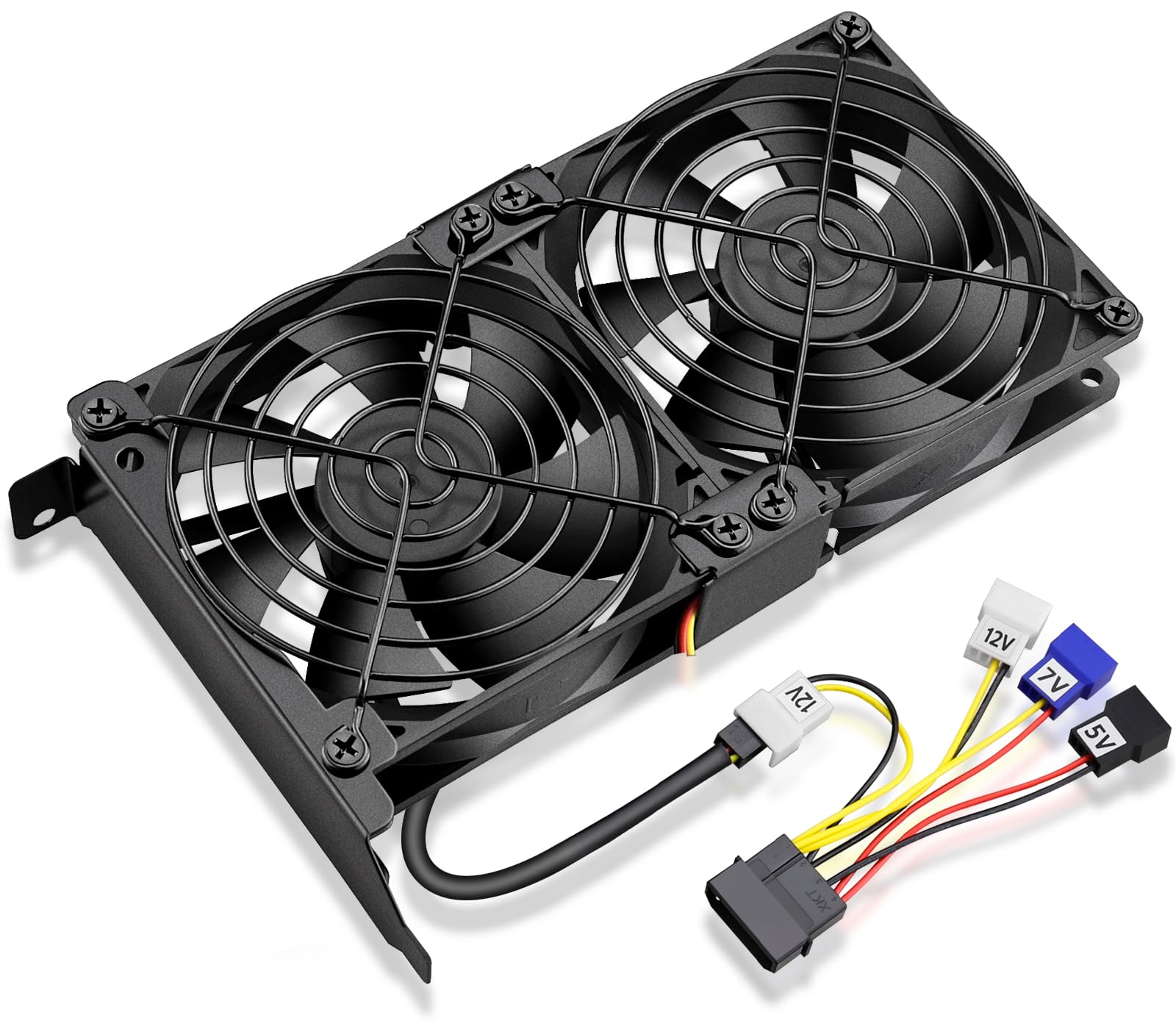
❄️ Keep your GPU cool, your workflow smooth, and your gaming envy-worthy!
The GDSTIME Graphic Card Fans feature dual 92mm fans spinning at 1800 RPM, delivering 39.8 CFM airflow each while maintaining a low noise level of 24.8 dBA. Designed for easy PCI slot installation with a sturdy metal bracket, this universal GPU cooler supports multiple voltage options for customizable fan speed control. It effectively lowers GPU temperatures, enhancing performance and extending the lifespan of your graphics card.


| ASIN | B07H5KPY8P |
| Air Flow Capacity | 39.8 Cubic Feet Per Minute |
| Best Sellers Rank | #4 in Graphics Card Fans |
| Brand | GDSTIME |
| Compatible Devices | computer case |
| Cooling Method | Air |
| Date First Available | October 1, 2018 |
| Is Discontinued By Manufacturer | No |
| Item Weight | 8.5 ounces |
| Item model number | GDT9025S12V3P*2 |
| Manufacturer | GDSTIME |
| Material | Plastic |
| Maximum Rotational Speed | 1800 RPM |
| Noise Level | 24.8 Decibels |
| Number of Items | 1 |
| Power Connector Type | 3-Pin |
| Product Dimensions | 0.98"L x 3.62"W x 3.62"H |
| Voltage | 12 Volts (DC) |
| Wattage | 1.4 watts |
M**T
Quiet and blows good air, plugged right in and works great with my motherboard fan control
This fan fit right into a slot and the 3-pin plug fit fine into a 4-pin fan plug on my motherboard (ASRock Taichi x399), and I am able to control the speed via my motherboard fan control utility. The fan is very quiet at full blast and almost silent at lower speeds, and moves good air. This is my work PC so I wanted it to be silent, and so I bought a graphics card that only has a passive heatsink, no fan. But when playing games it gets too hot to touch and slows down. So I bought this fan to try to keep the heat under control only during those times that I play games (very rarely). Wow what a big difference! After 20 minutes of game play the graphics card heatsink is barely warm, an enormous difference from the previous too hot to touch! So in short, this fan works as advertised. It includes a power adapter for the older style (round pin) power plugs used on older hard disks and some instructions for splicing it into an existing plug. I'm a little surprised that the adapter isn't for more modern SATA style power plugs. It includes a one page instruction sheet that tries to pack some good technical info into few words and not the clearest english ever, but I suspect in 99% of the cases the instructions aren't needed anyway as this will likely just plug right in to any modern motherboard with a free fan plug, or any PC power supply using the included adapter. So in short, it fits as advertised, plugs right in, is quiet, moves lots of air and works great with the motherboard built in fan controller if you have one, or plugs in with the included adapter if needed.
M**.
Works great for low price
Cheap but works well, fits in a pcie slot and does what its supposed to
K**N
Wish it was quieter but it definitely works well.
I used this on an 8gb RX580 where the original fan couldn't cool it and made a lot of noise at full speed. This setup cools it with no issues. The fans are a little loud but not unbearable. I have the fans connected to my motherboard so I may be able to reduce their speed / noise but its a chinese x79 board and I haven't yet figured out how and its not that bad. I have personal fan blowing in my office that is louder and drowns it out. The fan would not power on with the included molex adapter so I didn't use that. I'm not saying the adapter doesn't work since I tested it on a different system and it worked. It just didn't work with the system I installed this in. My board has two case fan headers, though, so I just used one of those. after several months and further testing I have found that when running heaven at 4K the card will overheat and shut down if I use any of the connections with the molex adapter. It doesn't matter what voltage. However, if I plug it straight into the motherboard, the temperature of the video card doesn't go over 75 degrees
D**N
Working well enough for now
I wanted something to help cool a nvme unit near the cpu. I rearranged the fans so that one pointed up and the other down so they blow in a loop, over the unit, then installed in a nearby case slot. Plugged the 3-pin connector onto a 4-pin fan header (legit: single-speed 12v only) and buttoned everything up. It did drop the temp a few degrees C, less than I was hoping, but I had no basis to expect it to be any better than it turned out. It didn't seem to add noticeable noise to my rig, which already had 6 or 7 fans and a pump running (ambient sound level is only around 38 dB). Hoping it stays quiet and keeps running a long time, but fans always seem to be a weak link (bearings mostly). TBD.
M**K
Works decently but noisy after only a month.
It works well for the price but the rear bracket that holds it into the PCIe panel is flimsy but does work fine. The biggest issue is after only a month one of the fans developed a rough noise on start up but it slowly goes away after about a minute. Still completely usable just kind of annoying and worrying when if first started as I thought one of my main fans of water pump were going bad.
B**E
Quieter than expected!
The fans work as advertised and they are quieter than I was expecting. I can’t comment on the longevity of the fans, but they seem quality enough to last. It’s definitely a good buy if you are using an HBA in your system and need additional cooling. Works really well for a home server build.
T**N
Failed under 1yr; Noisy
Size and function, this fan is great in concept. I have a specialized machine for video recording that uses 8x hard drives in RAID so I wanted to keep the RAID controller cool, being that this isn't really a server enclosure and doesn't have quite the same airflow. I've battled noise on this thing for a while - but now with the shot bearings in one of the fans (it's been getting worse for months), the noise is unbearable. I've just disconnected it and I'm in search of a better brand. Otherwise though, it installed easily, fit well, and did its job blowing air on the controller like I needed it to - but it really needs higher quality fans that can stand up to 24x7 use for a few years. UPDATE: This is my 2nd one... It's been 11 months and now for months this thing has been rattling driving me nuts. I'm replacing now with a different brand to see if it lasts any longer.
F**M
Great for the price and the cooling
Works great and keeps my gpu cool
R**L
bem útil, baixou a temperatura da minha GTX 1080 em -20 grau.
M**C
You get $6 worth of components - $2 mounting PCI bracket made from soft bending metal and 2x$2 fans. The fans appear to be PWM and they don't work when connected to a PC motherboard or fan controller. I have not been able to find the datasheets and figure out what frequency they operate under, so I threw them away after about two hours of trying to get them work with arduino. The supplied molex adapters are useless because the fans don't have standard +12 V, GND and tach lines; they're 3-pins but they require PWM input at the right frequency. They're basically very old noisy fans. Save your money and get the mounting bits separately and get 92mm or 80mm fans.
A**Z
Tenía dudas de adquirirla, pero además de que me llegó muy rápido (como 15 días antes de lo previsto), SI FUNCIONA! uso una EVGA RTX 2060 OK, y antes con CAll of Duty Warzone y pantalla 2K a full, subía a 84 grados, con esta ayuda adicional de flujo de aire extra, bajó a 74 / 77 máximo con varias horas y a todo lo que da, en resumen si funciona, muy bien, y baja más de 10 grados conectándolo en su convertidor que trae a 12V, el convertidor es Molex, para 5v 7v y 12v para que puedas poner menos o más RPM. Lo recomiendo ampliamente! Sin dudas gran compra y muy económico para una solución térmica opcional a las liquidas que son costosas y complicadas de instalar. Esta opción no tiene ninguna complicación.
M**M
انصح به بقوة فقط اللي دسك توب مفتوح من الجانب (نازع الغطاء) ينزل حرارة الكرت كثير مع تكييف الغرفة.
S**A
El artículo es muy bueno, tiene varias entradas de alimentación con la que puede varias el rpm de los ventiladores y con eso pude bajar a mi tarjeta de video 20 grados en uso normal pero no en uso rudo, es decir, que en uso rudo de la GPU no se mostró una diferencia instalándose en 12v .
Trustpilot
1 week ago
2 months ago



